Tukey vs Pictory AI: Script Optimization vs Video Generation
How to tell which problem you actually have, why the script decides everything downstream, and where each tool fits in a faceless workflow.
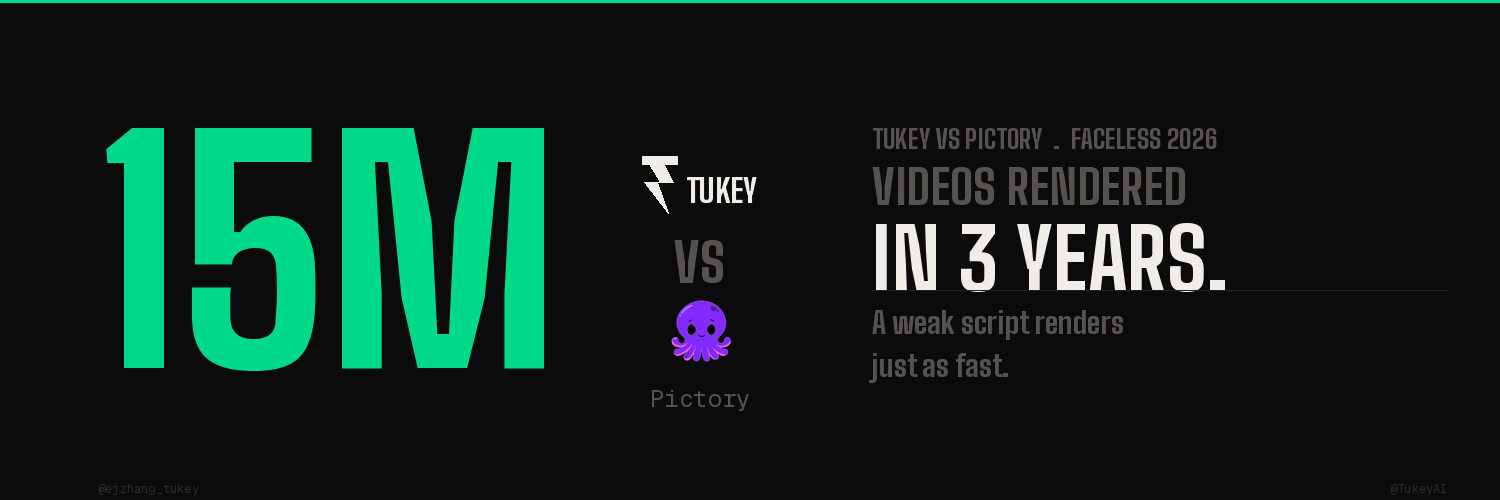
Pictory has helped creators generate roughly 15 million videos in three years. That is the number Storyblocks reported from its partnership with the platform, and it tells you exactly how good Pictory is at one job: turning text into finished video, fast.
It also hides the trap. A tool that converts 15 million scripts into video that quickly will convert a weak script just as efficiently as a strong one. Speed does not check quality. It multiplies whatever you feed it.
That is the real frame for tukey vs pictory. These tools do not compete. They sit at different points in the same pipeline, and most creators are comparing them as if they solve the same problem. They do not.
Pictory turns a script into a video. Tukey decides whether that script was worth turning into a video in the first place.
Pictory's Strengths for Faceless Channels
Pictory is one of the cleanest text-to-video tools on the market, and for faceless channels it removes the single most expensive part of the workflow: the edit.
You paste a script. Pictory splits it into scenes, pairs each scene with a clip from its Storyblocks library of more than 10 million licensed assets, generates an AI voiceover, and burns in captions. The first cut lands in under a minute.
For a faceless operator running a documentary, listicle, or explainer channel, that is real leverage. No timeline. No manual b-roll hunting. No render queue. The article-to-video and URL-to-video flows are the strongest use cases, because they take content that already exists and repackage it without you touching a single keyframe.
If your channel runs on volume, Pictory is built for you. It is fast, it is consistent, and it scales output without scaling your hours.
But notice the precondition baked into every one of those strengths. Pictory is at its best when the input already exists. It assumes the script is done. It assumes the script is good. It does no work on the words themselves.
Why Script Quality Determines Pictory Output Quality
Here is the part the demo videos never show you. Pictory's output ceiling is set entirely by the script you paste in.
The voiceover reads your words exactly as written. The scene splits follow your sentence structure. The stock footage matches your phrasing, not your intent. If the script opens with 20 seconds of throat-clearing before the actual point, Pictory will faithfully produce 20 seconds of stock footage over a slow intro. It will not flag it. It will not fix it. It will render it beautifully.
This matters more in 2026 than it did two years ago. YouTube's Creator Insider channel confirmed that creators now need to establish value within 7 seconds. And YouTube's July 2025 policy update on inauthentic content explicitly pulled monetization from mass-produced, template-based videos with no real creative input.
So the bar moved twice. Viewers decide faster, and the platform now punishes content that feels machine-stamped. A generic script run through any text-to-video tool produces exactly the kind of video that bar is designed to filter out.
The common reviewer complaint about Pictory is that the footage looks "generic" and "stock clippy." That is a real limitation, but it is downstream of a bigger one. Generic footage is what you get when a generic script tells the tool to go find clips for generic sentences. The visuals are only as specific as the words driving them.
Garbage in is not a Pictory flaw. It is physics. Every text-to-video tool inherits the quality of its text. The question is what fixes the text before it ever reaches the renderer.
Tukey as the Script Optimization Layer
This is the gap Tukey AI fills, and it sits one step upstream of Pictory, not next to it.
Tukey is not a video generator. It does not make clips, voiceovers, or captions. It works on the script, and specifically on the part of the script that decides whether the video holds attention: structure, pacing, hook, and retention.
The difference is what Tukey reads before it writes. A general text-to-video tool sees your script as a block of sentences to slice into scenes. Tukey reads your channel's actual retention behavior, the points where your real viewers drop, and the structural patterns that hold the audience type you actually have. Then it shapes the script around that.
In practice that means the first 7 seconds carry a concrete value signal instead of a warm-up. It means the pacing is built for how your viewers watch, not a generic template. It means the hook is engineered, not hoped for. By the time that script reaches a text-to-video tool, every scene the tool builds is built on a line that earns its place.
That is the order that matters. Optimize the script first, then generate the video. Reverse it and you are polishing the delivery of a message that was never going to land.
A weak script becomes a weak video, efficiently. A retention-shaped script becomes a video that actually holds the audience the tool was always capable of reaching.
A note on why we built Tukey AI
I spent months watching creators pour money into faster and faster production tools while their retention graphs stayed flat. The edit got quicker. The footage got cleaner. The audience still left at the same spot, every time.
The problem was never the video layer. It was that nobody was optimizing the script against how the audience actually watched. The fastest renderer in the world cannot save a structure that loses people at second 30. So we built the layer that fixes the words before they ever become footage.
tukey.ai](https://tukey.ai)
Faceless Creator Stack: Tukey → Pictory → OpusClip
The cleanest faceless workflow does not pick one tool. It runs them in order, each doing the job it is actually good at.
Step 1, Tukey: optimize the script. Start with the words. Shape the hook, the pacing, and the structure against your channel's retention data before a single frame exists. This is the step that determines the ceiling for everything after it.
Step 2, Pictory: generate the long-form video. Take the optimized script and run it through Pictory's text-to-video flow. Now the scene splits, the stock footage, and the voiceover are all built on a script engineered to hold attention. Same speed as before, much higher floor.
Step 3, OpusClip: cut the shorts. Once the long-form video exists, repurpose it into vertical clips for Shorts, Reels, and TikTok. The clips inherit the same retention-shaped structure, so your short-form distribution is working from strong source material instead of random highlights.
Notice that each tool stays in its lane. Tukey owns the script. Pictory owns the long-form render. The clipping tool owns repurposing. The mistake creators make is asking the video generator to also be the strategist, or asking the clipper to fix a video that was weak to begin with. Neither was built for that.
Get the order right and the stack compounds. Get it wrong and you are just producing weak content at three times the speed.
FAQ
What's the difference between Pictory and a YouTube script tool? Pictory is a text-to-video generator: it takes a finished script and converts it into video with stock footage, AI voiceover, and captions. A YouTube script tool like Tukey works one step earlier, optimizing the script itself for hook, pacing, and retention before any video exists. Pictory decides how the script looks as video. The script tool decides whether the script was worth filming. They solve different problems and work best together.
Is Tukey a Pictory alternative? Not exactly, and that is the point. Tukey does not generate video, so it does not replace Pictory's renderer. It replaces the part of your workflow where you write or AI-generate a script with no retention data behind it. If you are looking for a Pictory alternative because your videos feel generic, the fix is usually upstream: a stronger script, not a different renderer.
Can Pictory fix a weak YouTube script? No. Pictory renders the script you give it exactly as written. It does not analyze structure, rewrite a slow open, or flag where viewers will drop. If the script is weak, Pictory produces a weak video faster. Script optimization has to happen before the text reaches any video generation tool.
Does the script really matter more than the video editing? Yes, for retention. Viewers decide whether to stay in the first 7 seconds, and that decision is driven by what the script says and how it is paced, not by how clean the footage is. A polished edit on a poorly structured script still loses the audience. A retention-shaped script gives every other tool in the stack something worth working with.
What is the best faceless YouTube tool stack in 2026? Run the tools in order of the pipeline: a script optimization layer first (Tukey), then a text-to-video generator (Pictory) for the long-form render, then a clipping tool (OpusClip) to repurpose into shorts. Each tool does one job well. The script layer sets the ceiling, the video layer sets the speed, and the clipping layer sets the distribution.
The script is the only part of the pipeline that decides whether the other tools were worth running.
My name is EJ Zhang, the CEO at Tukey AI, a production workspace built in your voice. It learns your beliefs and creative fingerprint, surfaces pre-trending topics tailored to you, helps you create with originality, predicts performance before you publish, and learns from every result to make smarter recommendations over time.
Follow us on X @TukeyAI or visit tukey.ai
SEO Notes Primary keyword: tukey vs pictory LSI keywords used: pictory alternative, pictory youtube script, pictory vs script writer, text to video, faceless YouTube channel, script optimization, video generation, retention, AI voiceover, faceless creator stack Target featured snippet: "What's the difference between Pictory and a YouTube script tool?"